Quest#
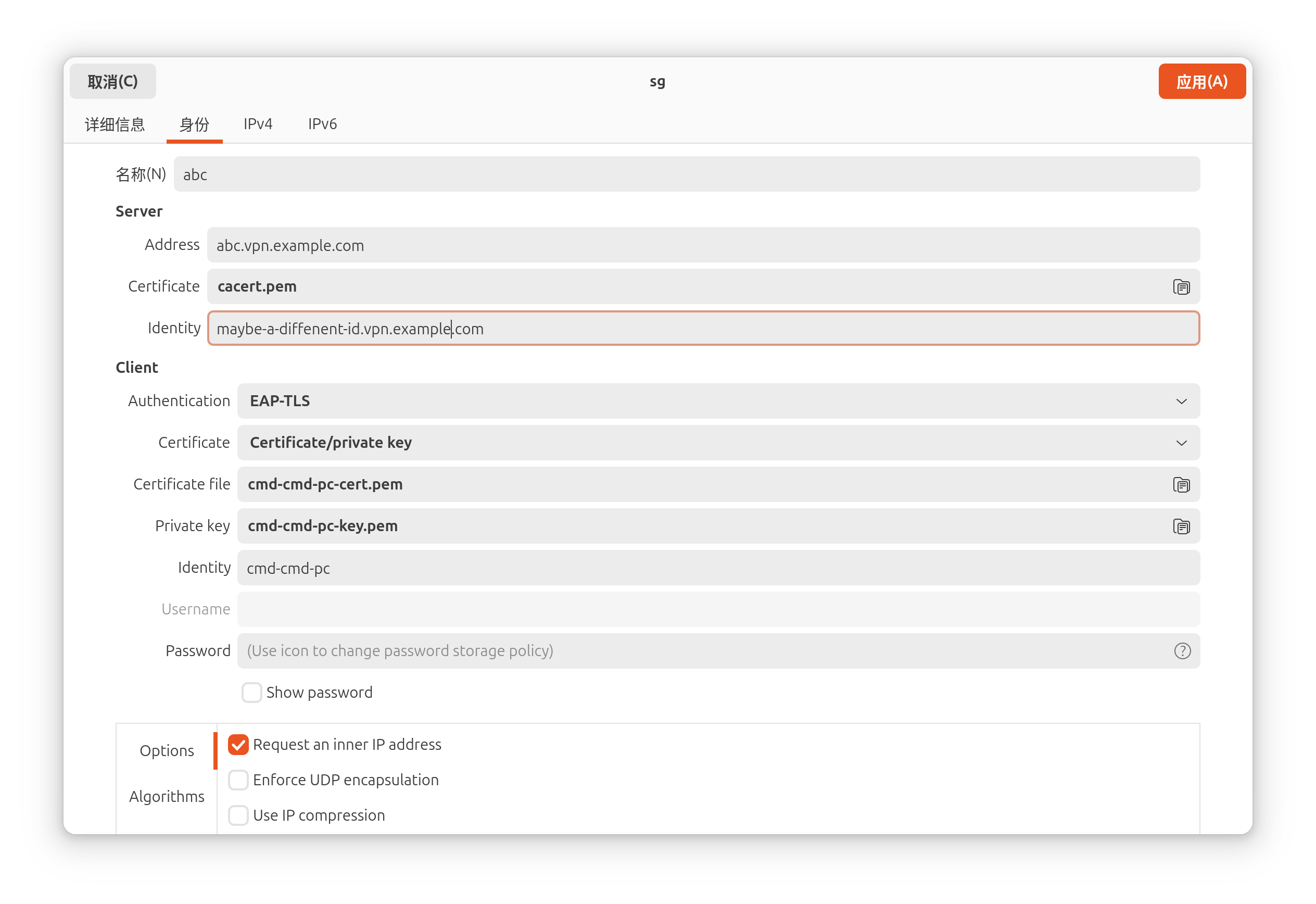
Set up a strongswan vpn client on an Ubuntu 24.04 PC using network management GUI.
The strongswan server only accept EAP-TLS authentication.
Process#
bash command history#
 1
 2
 3
 4
 5
 6
 7
 8
 9
10
11
12
13
14
| # install packages
sudo apt update && sudo apt install libcharon-extra-plugins network-manager-strongswan strongswan-nm
mkdir sw-vpn
cd sw-vpn
# download client certifacte and private key
scp server_vpn:cmd-cmd-pc.tar.gz .
# fix MTU issue
vim custom.sh
sudo cp custom.sh /etc/NetworkManager/dispatcher.d/01-vpn-mtu
sudo chmod +x /etc/NetworkManager/dispatcher.d/01-vpn-mtu
rm cmd-cmd-pc.tar.gz
ls -alh /etc/NetworkManager/dispatcher.d/01-vpn-mtu
cat /tmp/vpn_mtu_debug.log
|
mtu fixer#
The custom.sh file
 1
 2
 3
 4
 5
 6
 7
 8
 9
10
11
12
13
14
15
16
17
18
19
20
21
22
23
24
25
26
27
28
| #!/bin/bash
# Log file for debugging
LOG_FILE="/tmp/vpn_mtu_debug.log"
INTERFACE=$1
ACTION=$2
echo "--- $(date) ---" >> $LOG_FILE
echo "Interface: $INTERFACE, Action: $ACTION, Connection: $CONNECTION_ID" >> $LOG_FILE
# Catch both 'up' and 'vpn-up' actions
if [[ "$ACTION" == "up" || "$ACTION" == "vpn-up" ]]; then
if [[ "$CONNECTION_ID" == "abc" ]]; then
# Small wait to let XFRM initialize
sleep 2
# Find the interface name (handles the changing numbers)
XFRM_IF=$(ip -o link show | awk -F': ' '/nm-xfrm/ {print $2}' | cut -d'@' -f1)
if [ -n "$XFRM_IF" ]; then
echo "Found interface $XFRM_IF. Setting MTU to 1280..." >> $LOG_FILE
ip link set dev "$XFRM_IF" mtu 1280 2>> $LOG_FILE
else
echo "No xfrm interface found yet." >> $LOG_FILE
fi
fi
fi
|